Codex CLI hosting or OpenAI’s Codex cloud?
A32 runs the Codex CLI in an independently hosted Linux environment. OpenAI’s own Codex cloud is a separate product and workflow. A32 does not provide an OpenAI subscription, resell model credits or claim that its machines are OpenAI-managed environments.
A personal A32 machine is useful when you want files and tools to stay together across tasks and want both browser access and programmatic control. If you only need the provider’s native hosted task workflow, compare that directly before adding another host.
Can I use my ChatGPT subscription?
Yes. Select Codex in A32, then sign in with your eligible ChatGPT account using OpenAI’s own terminal login flow. Your plan’s Codex access, workspace permissions and usage limits apply. Alternatively, use your own OpenAI API key with separate API billing. See OpenAI’s authentication guidance for current requirements. Your provider account and usage are separate from A32 hosting. Eligible subscriptions and API keys have different billing and limits. Sign in through the provider’s own flow; A32 does not sell model access or unlimited tokens.
Keep credentials out of prompts, source control and shared screenshots. The instance’s home directory persists across sleep and restarts, so saved agent logins persist too. Delete the instance when you no longer want that environment retained.
Start one Codex task
- Create your A32 account, then a machine with the disk size you need.
- Select Codex in the first-run guide and open the terminal.
- Sign in to Codex with your ChatGPT account through the provider flow. The dashboard can detect saved login state; that is not a guarantee of remaining provider quota.
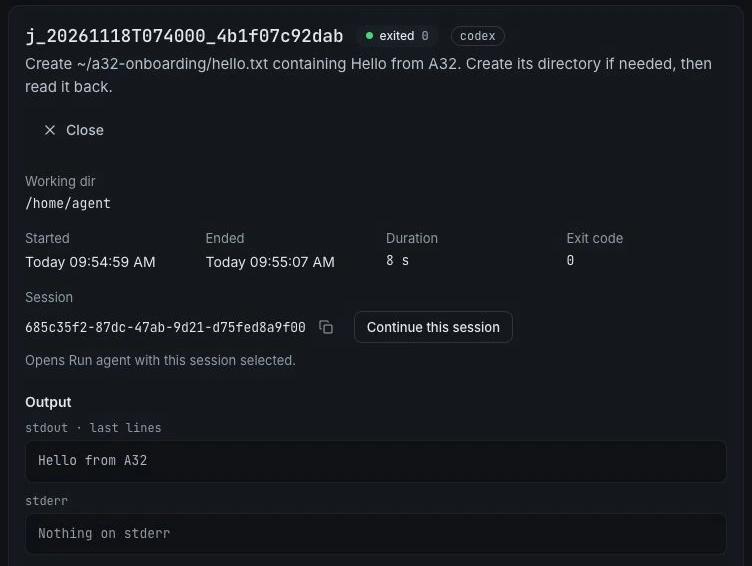
- Open Run agent, select Codex and edit the suggested task. Confirm that the job exits successfully and inspect its output.
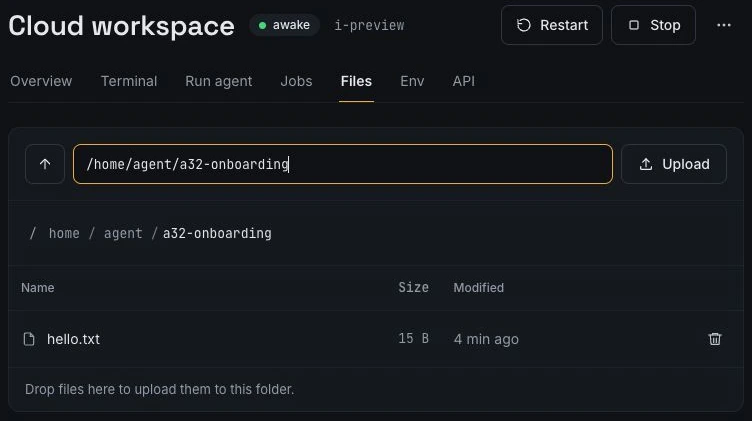
Start with a file-creation check before asking the agent to refactor a repository. Add other agents only when you need them; Claude Code is not required to use Codex.
Use Codex behind your scripts
A32’s cloud agent API accepts a selected agent and task, and supports background jobs you can inspect later. Use it to connect your own scripts or CI to the hosted CLI. Integrations with third-party tools require your own integration code; A32 does not imply a built-in connector for every workflow.
Separate the machine budget from provider usage. A successful API request only means a request was accepted; verify the final job status and result before proceeding with dependent work.
Published by agent-32 · Reviewed 18 November 2026.